Setup in 5 steps
Takes about two minutes. You only need a trefolio account and Claude Code or Cursor installed.
Open Developer · MCP in Profile
Sign in at trefolio.com, open Profile, and select the Developer · MCP tab. Create and revoke tokens without leaving trefolio.
Open Profile → Developer · MCP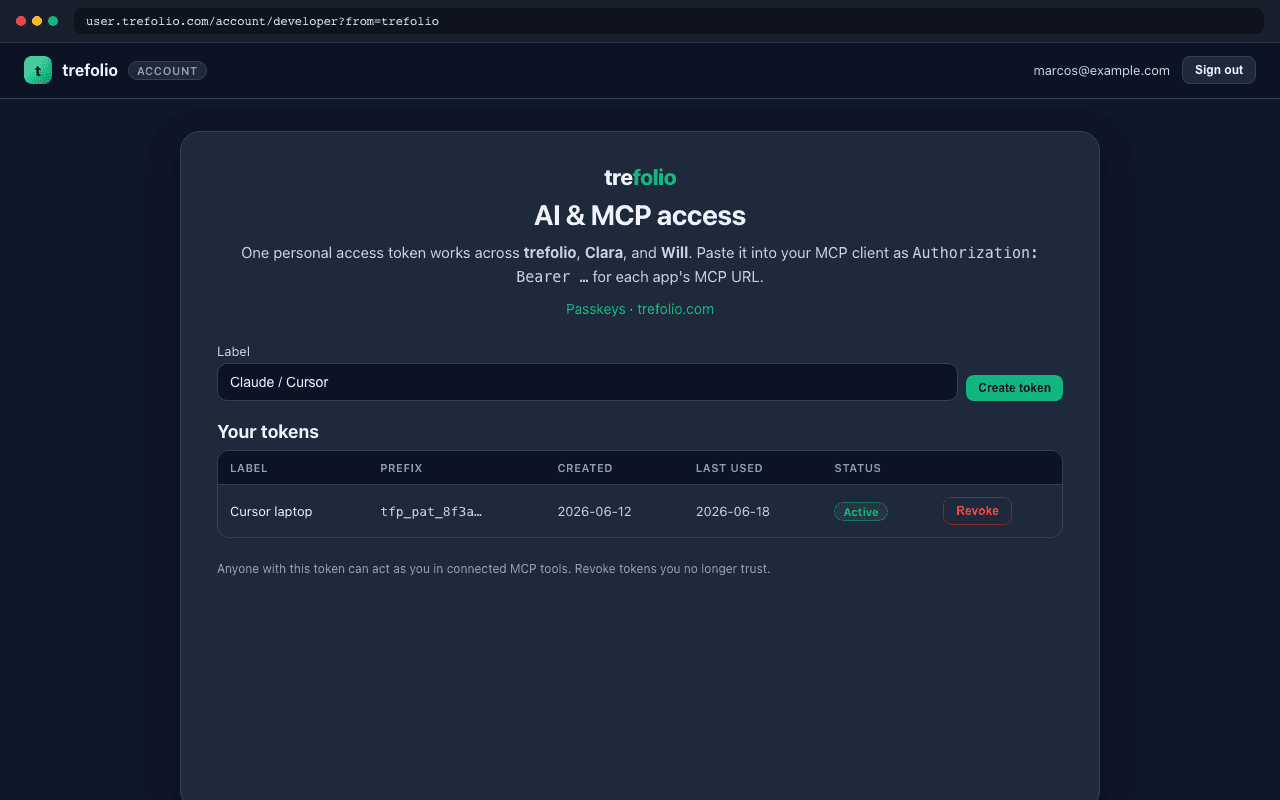
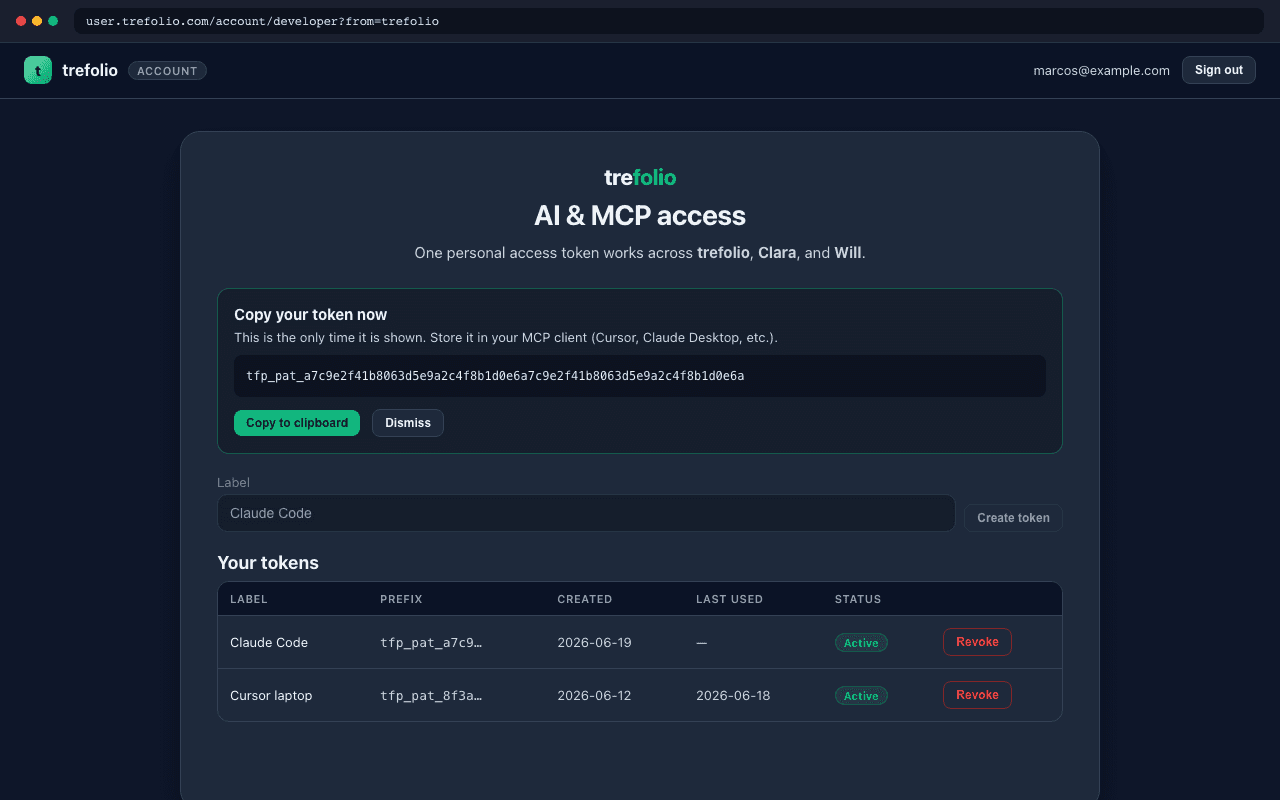
Generate your token
Click Generate token, give it a name (e.g. “Claude Code”), and copy the tfp_pat_… value immediately — it is shown only once. Store it in a password manager.
Configure Claude Code
In your terminal, run the command below (replace YOUR_TOKEN with your tfp_pat token). Then restart Claude Code and run /mcp to confirm trefolio is connected.
claude mcp add --transport http trefolio https://trefolio.com/api/mcp/user/mcp --header "Authorization: Bearer tfp_pat_YOUR_TOKEN_HERE"
Configure Cursor (optional)
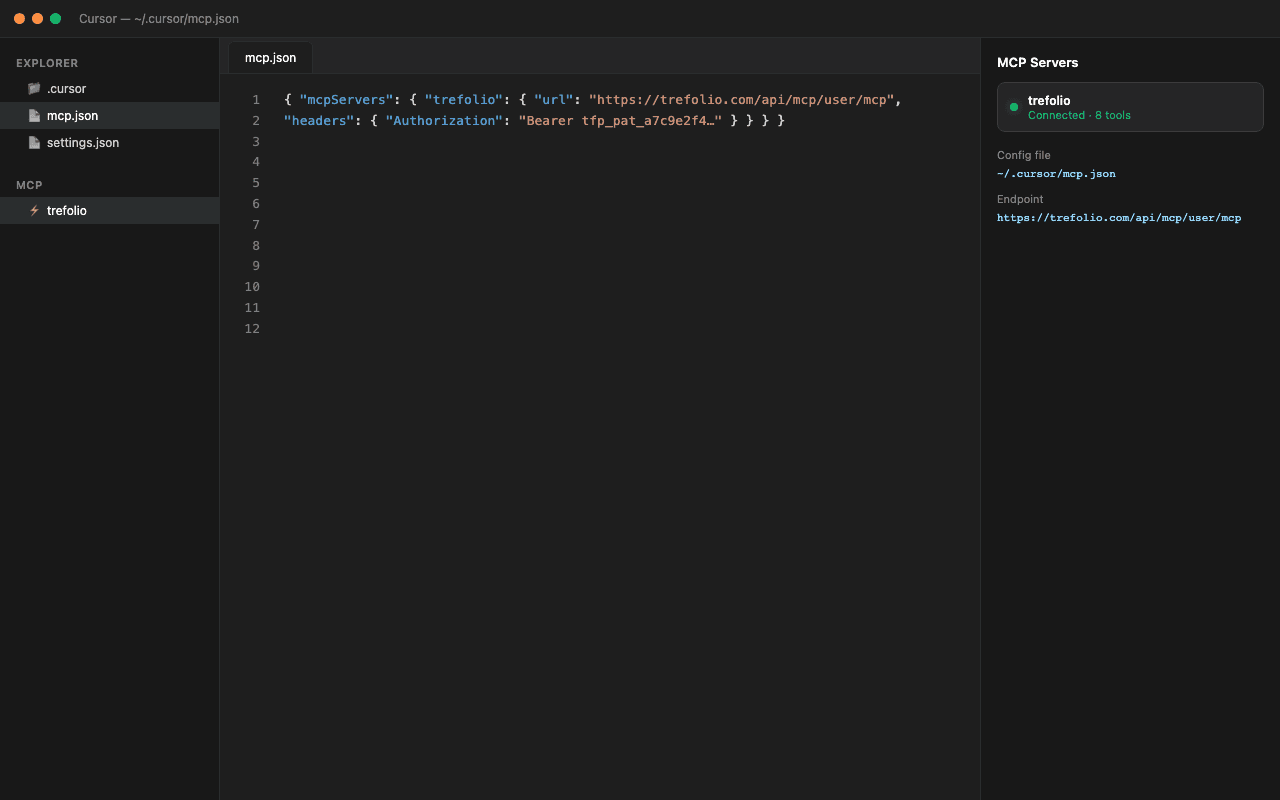
Add the JSON below to ~/.cursor/mcp.json (merge with existing mcpServers if you already use MCP). Replace YOUR_TOKEN with your tfp_pat token and restart Cursor.
{
  "mcpServers": {
    "trefolio": {
      "url": "https://trefolio.com/api/mcp/user/mcp",
      "headers": {
        "Authorization": "Bearer tfp_pat_YOUR_TOKEN_HERE"
      }
    }
  }
}
Verify and ask
Ask Claude Code or Cursor: “List my portfolios” or “Run a Warren MOAT evaluation for AAPL.” Portfolio tools use stored values; fresh MOAT runs consume your plan quotas.
Claude Desktop (config file)
Claude Settings → Connectors → Custom connector asks for OAuth Client ID — trefolio MCP uses a bearer token instead. Edit claude_desktop_config.json on macOS or Windows:
Claude Desktop → Settings → Connectors → Custom connector expects OAuth (Client ID). trefolio uses a personal access token instead. Edit claude_desktop_config.json (see below) — leave Client ID empty in the Connectors UI.
{
  "mcpServers": {
    "trefolio": {
      "type": "http",
      "url": "https://trefolio.com/api/mcp/user/mcp",
      "headers": {
        "Authorization": "Bearer tfp_pat_YOUR_TOKEN_HERE"
      }
    }
  }
}
Available MCP tools
Read-only portfolio data plus Warren MOAT analysis — same quotas as the web app.
- listPortfolios — your portfolios
- listHoldings / listCash — stored EUR values
- getMoatEvaluation — Warren MOAT score
- generateMoatNarrative — AI moat narrative
- screenMoat — filter the MOAT universe
Not financial advice. MOAT scores and AI outputs are educational tools; do your own research.